 ultimate-guide
Benefits of Smart Lock Installation: 2026 Home Guide
Table of Contents
- Why Smart Lock Installation Is Worth It: Key Benefits at a Glance
- Keyless Entry, Remote Access, and Convenience
- Smart Lock Installation Cost: What Affects Your Total Price
- How to Choose a Smart Lock for Your Home
- Smart Lock Battery Life Expectations and Power Backup
- Security Features, Cybersecurity, and Privacy Risks
- Renters, Landlords, and Accessibility: Special Installation Considerations
- Conclusion
- Frequently Asked Questions
Last Updated: September 27, 2026
Why Smart Lock Installation Is Worth It: Key Benefits at a Glance
Smart lock installation is the process of replacing a standard mechanical deadbolt with an electronic lock that opens through access codes, a mobile application, biometric authentication, or voice control. The core payoff is simple: you stop carrying keys and start managing who enters your home from anywhere. This guide from Advanced Keys & Locks LLC walks through the benefits and security trade-offs.
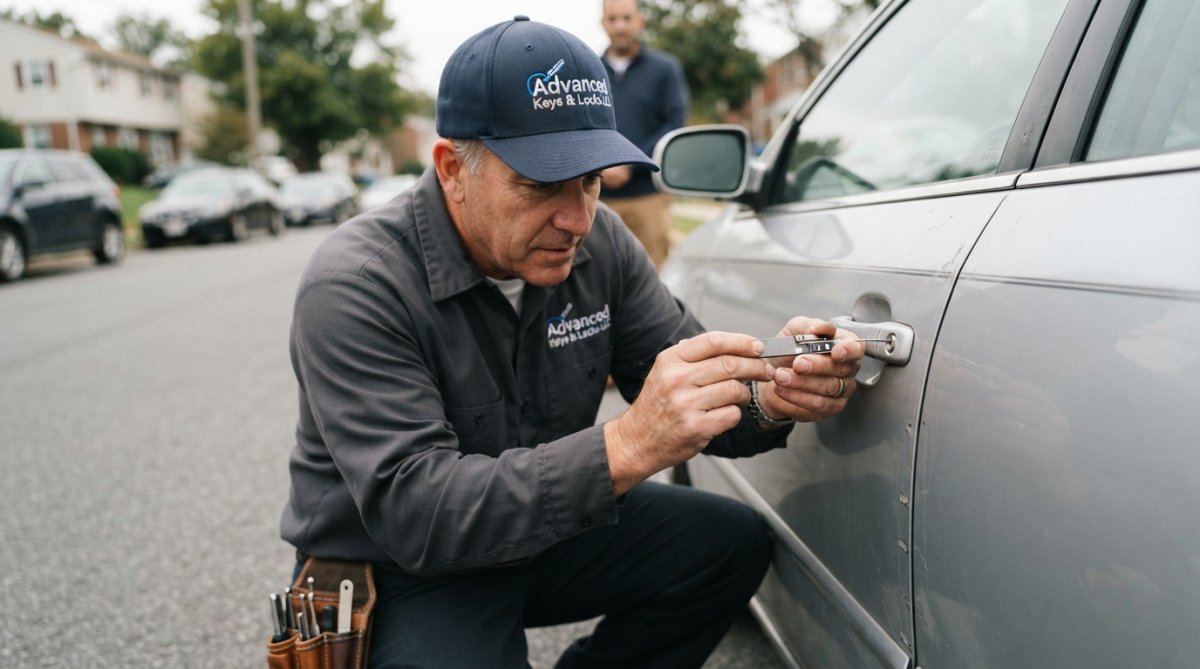
The benefits fall into a few practical buckets:
- Keyless entry eliminates lockouts and lost-key replacement
- Remote access lets you unlock a door for a contractor while you're at work
- Activity logs show exactly when each code was used
- Auto-lock closes the gap when someone forgets to secure the door
Many homeowners find the biggest surprise isn't the convenience. It's how much visibility they gain into daily comings and goings.
Keyless Entry, Remote Access, and Convenience
The most immediate benefit is never fumbling for keys again. A smart deadbolt pairs with your phone over Bluetooth connectivity or a Wi-Fi bridge, so the door unlocks as you approach or with a tap in the mobile application.
Remote access changes how you handle the small emergencies that used to ruin a day. A contractor arrives two hours early? Unlock the door from your desk. A family member needs in while you're traveling? Issue a temporary guest access code that expires on its own.
Voice control through a smart home ecosystem adds a hands-free layer, useful when you're carrying groceries or a sleeping child. And for anyone who has paid a locksmith after locking themselves out, keyless entry pays for itself in avoided service calls alone.
The convenience is real. So is the responsibility: every remote feature depends on a working connection and a charged battery.
Smart Lock Installation Cost: What Affects Your Total Price
Smart lock installation cost depends on three things: the lock you buy, the condition of your door, and whether the job is a straight swap or a retrofit. Separating hardware cost from labor cost is the fastest way to understand your total, because the two move independently.
Hardware cost. The lock itself is usually the largest line item. Basic keypad deadbolts sit at the low end, mid-tier models with Bluetooth connectivity and app control land in the middle, and premium models with built-in Wi-Fi, biometric authentication, or Apple Home Key support sit at the top. Expect the price to climb with each added radio (Wi-Fi, Z-Wave, Zigbee, Thread) and each added entry method.
Labor cost. A standard deadbolt swap on a door that already has the correct bore hole and backset is the cheapest scenario, typically a single-visit job. A retrofit that requires drilling a new bore hole, enlarging an existing one, or adjusting the strike plate takes longer and costs more. Adding a Wi-Fi bridge or hub pairing adds setup time but no parts.
| Cost Factor | What It Covers | Impact on Total |
|---|---|---|
| Lock model | Entry methods, radios, biometrics | Largest single variable |
| Door compatibility | Bore hole size, backset, door thickness | Retrofit costs more than a swap |
| Installation hardware | Adapters, strike plates, spacers | Modest material add-on |
| Connectivity setup | Wi-Fi bridge or hub pairing | Labor time, not parts |
| Property type | Single unit vs. multi-unit | Scales with unit count |
| After-hours or emergency | Nights, weekends, holidays | Premium over standard rate |
DIY vs. professional installation. A compatible door and a standard deadbolt swap is within reach for a confident DIYer with a screwdriver and the manufacturer's template. The math changes when the door needs modification, when the lock is a mortise or interconnected model, or when the door is part of a multi-unit access system. A mis-drilled bore hole is not a cheap mistake to undo, and it can void the lock's warranty.
What actually moves the number. The biggest cost driver is not the lock brand. It is whether your door already accepts the lock. A door with a standard 2-3/8-inch or 2-3/4-inch backset and a 2-1/8-inch bore hole is a drop-in job. A door with an unusual backset, a non-standard thickness, or a wrap-around plate is not. Measure before you buy, and the labor estimate becomes predictable.
Multi-unit and rental economics. For landlords and property managers, per-unit cost drops when several doors are done in one visit because travel and setup time are shared.
How to Choose a Smart Lock for Your Home
Choosing a smart lock for your home comes down to matching connectivity, entry method, and security features to how you actually live. Start with your door, not the product page.
Work through these criteria:
- Check your door's compatibility. Measure the bore hole and backset before buying anything.
- Decide on connectivity. Bluetooth connectivity works locally; a Wi-Fi bridge enables remote access.
- Pick your entry methods. Access codes, biometric authentication, or physical key backup.
- Confirm ecosystem fit. If you use Z-Wave, Zigbee, or a specific smart home ecosystem, verify compatibility.
- Review security features. Look for tamper alerts, encryption, and auto-lock.
- Plan for power. Check battery life and low battery notifications.
Smart Lock Battery Life Expectations and Power Backup
Smart lock battery life typically ranges from several months to over a year, but the range is wide because the number is driven by how the lock talks to the world, not by the battery itself. Understanding the drain mechanisms lets you predict your own replacement interval instead of guessing.
What drains the battery.
- Always-on Wi-Fi is the heaviest draw. A lock that holds a constant Wi-Fi connection to a router burns power continuously, even when nobody is using the door.
- On-demand Bluetooth is the lightest draw. The radio sleeps until your phone is nearby, so the lock only wakes for an actual unlock event.
- Motor torque matters more than most people realize. A deadbolt that binds in the strike plate, or a door that swells with humidity, forces the motor to work harder on every cycle and shortens battery life.
- Camera, keypad backlight, and status LEDs add small but constant draws.
- Cold weather reduces the capacity of alkaline batteries, so a lock that lasts a year in mild conditions may need a change mid-winter.
Maintenance that extends life.
- Replace batteries on a schedule, not on a warning. Low battery notifications are a backup, not a plan.
- Keep the bolt and strike plate clean and aligned so the motor is not fighting friction.
- Apply a dry lubricant, not a wet oil, to the bolt. Wet lubricants attract dust and grit.
- Enable automatic firmware updates. Manufacturers patch both security flaws and power-management bugs through them, and a lock that shipped efficient can become a drain after a bad update.
- Test the physical key override every few months. A key that has never been turned in two years may not turn when you need it.
Security Features, Cybersecurity, and Privacy Risks
Smart locks add real security features, but they also introduce risks a mechanical deadbolt never had. Understanding both is what separates a smart upgrade from a smart mistake.
Renters, Landlords, and Accessibility: Special Installation Considerations
Renters and landlords face a different set of rules than homeowners, and accessibility needs reshape which locks make sense. Getting this wrong can cost you a deposit or create a legal headache.
Conclusion
The benefits of smart lock installation are real, but they come with responsibilities: firmware updates, battery management, and honest conversations with landlords. Done right, a smart lock gives you keyless entry, remote access, and a record of every entry, all backed by encryption and tamper alerts.
Frequently Asked Questions
What are the pros and cons of installing a smart lock?
Pros include keyless entry, remote access, temporary guest codes, and activity logs that show who entered and when. Cons can include dependence on batteries, potential Wi-Fi or Bluetooth connectivity issues, higher upfront cost than a standard deadbolt, and cybersecurity risks if the lock's firmware is not updated. A professional smart lock installation can reduce setup mistakes and ensure the lock fits your door properly.
Do smart locks work if the power or internet goes out?
Most smart locks run on batteries, so a power outage does not affect them. If your Wi-Fi goes down, remote access through a mobile application stops working, but local features like keypad codes and physical key backup still function. Some models support Bluetooth connectivity for nearby unlocking even without internet. Check battery levels regularly and keep a physical key backup accessible.
Is it worth getting a smart lock for a rental property?
For renters, a smart lock can simplify move-in and move-out, allow temporary guest access, and provide activity logs. However, you should get landlord approval before replacing any hardware, and choose a retrofit installation that keeps the original deadbolt so you can restore it later. Property managers also benefit from remote code changes between tenants without rekeying every unit.
Can a professional locksmith install any smart lock?
Most certified locksmiths can install major smart lock brands, but compatibility depends on your door's existing deadbolt, backset, and thickness. A professional can confirm whether your door needs a retrofit kit or a full replacement. They also handle connectivity protocols like Z-Wave or Zigbee and can integrate the lock with your smart home ecosystem, ensuring auto-lock, tamper alerts, and encryption settings work correctly.