 ultimate-guide
Smart Lock Access Control: Benefits for Homes & Rentals
Table of Contents
- What Smart Lock Access Control Does
- Key Security Advantages of Smart Lock Access Control
- Convenience and Remote Management
- Keyless Entry System Pros and Cons
- Best Smart Locks for Rental Properties
- Smart Lock Battery Life and Maintenance
- Long-Term ROI and Cost Considerations
- Frequently Asked Questions
Last Updated: October 4, 2026
What Smart Lock Access Control Does
Smart lock access control is a security system that replaces traditional keys with digital authentication methods, allowing property owners to manage entry remotely and grant temporary access through mobile apps, PIN codes, or biometric readers. Unlike conventional deadbolts, smart locks use encryption and cloud-based management to track who enters your property and when.
Advanced Keys & Locks LLC provides smart lock installation services across residential and rental properties. The core advantage is straightforward: you control access without being physically present.
Smart locks eliminate vulnerabilities of physical keys. Keys can be duplicated, lost, or stolen. With smart lock access control, you simply delete a user's credentials instead of rekeying the entire lock, transforming tenant turnover from a security headache into a simplified process.
Key Security Advantages of Smart Lock Access Control
Smart lock access control systems provide multiple layers of protection beyond traditional locks through encryption, activity tracking, and controlled access management.
Biometric authentication and encryption
Biometric authentication, fingerprint, facial recognition, or iris scanning, adds verification beyond PIN codes or app-based unlocking. Your fingerprint cannot be duplicated or forgotten. Encryption protects communication between your lock and the cloud server, preventing unauthorized interception of unlock signals.
Most modern smart locks use military-grade AES-256 encryption, the same standard protecting financial transactions. When you unlock your door through the app, that command travels encrypted from your phone to the lock's receiver. An attacker cannot intercept and replay that signal to gain entry later.
For rental properties with high turnover, biometric locks eliminate the risk of tenants sharing PIN codes with unauthorized occupants.
Activity logs and real-time notifications
Every unlock creates a timestamped record showing who accessed the property, when they arrived, and how long they stayed. Real-time notifications alert you instantly when someone enters, allowing you to respond to unexpected access attempts.
This audit trail is invaluable for rental disputes and compliance requirements. A property manager can review an entire month's access history in seconds, something impossible with physical keys. Tamper alerts notify you immediately if someone attempts to force the lock, providing early warning before a break-in occurs.
Convenience and Remote Management
Remote management transforms property ownership. You no longer need to be present to grant access. A contractor arriving for an emergency repair at 2 AM can receive temporary access codes while you're out of state.
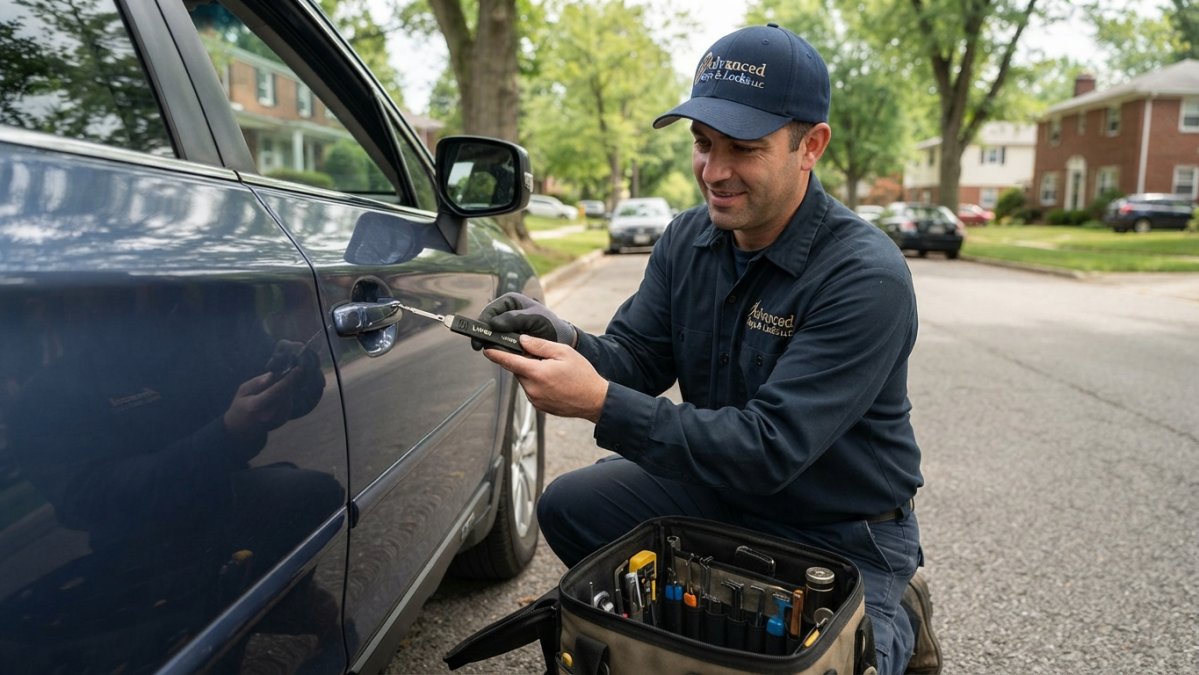
Temporary access codes are the operational backbone. Instead of cutting a new key for a plumber or electrician, you generate a code that works for exactly 4 hours, then becomes useless.
The mobile application becomes your master key. Unlock doors, check lock status, grant or revoke access, and review activity logs from your phone.
Keyless Entry System Pros and Cons
Keyless entry systems offer significant advantages but come with real trade-offs worth understanding before installation.
Physical security gains vs. digital attack surface
Traditional locks have one vulnerability: the physical key. Smart locks eliminate that vulnerability but introduce a new one: the digital attack surface. Your lock now communicates via Bluetooth, Wi-Fi, or a cellular hub, each a potential entry point if not properly secured.
The security gain is real: a lost key cannot be recovered, but a compromised digital credential can be revoked instantly. However, the attack surface is broader. A skilled attacker cannot pick a modern smart lock's biometric reader, but they might attempt replay attacks (intercepting and reusing unlock signals), firmware exploitation (discovering software flaws), man-in-the-middle attacks (intercepting phone-to-lock communication), or credential interception (capturing PIN codes).
Military-grade AES-256 encryption makes interception extremely difficult, but quality implementation matters. Biometric systems are superior, a fingerprint cannot be observed or shared.
Firmware vulnerability and update discipline
A lock's physical security is static once installed, but its digital security depends entirely on the manufacturer's commitment to releasing firmware updates. Before purchasing, verify:
- Update frequency: Does the manufacturer release security patches within 30-60 days of discovering vulnerabilities?
- Update mechanism: Can the lock receive updates over Wi-Fi, or does it require a hub or manual connection?
- End-of-life policy: When does the manufacturer stop supporting the lock? Aim for systems with at least 5-7 years of committed support.
- Transparency: Does the manufacturer publish a changelog of what each update fixes?
A lock with military-grade encryption but no updates for 18 months is riskier than a lock with slightly weaker encryption but monthly security patches. The threat landscape evolves; your lock's defenses must evolve with it.
PIN codes and observation vulnerability
PIN-based access creates a vulnerability traditional locks don't have: someone watching you enter the code learns your access method. This is especially problematic in rental properties.
Mitigation strategies include code rotation (change PIN codes monthly), one-time codes (unique codes for each guest, valid for a single use or time window), or biometric authentication (fingerprint or facial recognition cannot be observed or shared). For rental properties with high turnover, biometric authentication is the strongest defense against unauthorized access.
Battery dependency and power failure scenarios
A dead battery locks you out as surely as a lost key. Most smart locks run 12-18 months on standard AA or AAA batteries, but this varies based on usage patterns and features.
High-drain scenarios include frequent unlocking (50+ times daily), Bluetooth broadcasting, Wi-Fi connectivity, and biometric readers. Before installation, calculate expected battery life based on your specific use case, not manufacturer estimates.
The critical question: if batteries die completely, can you still access the property?
| Advantage | Disadvantage | Mitigation |
|---|---|---|
| No lost or duplicated keys | Requires batteries or power source | Verify mechanical override or external power option |
| Remote access from anywhere | Initial installation cost higher than traditional locks | Calculate 5-year ROI including avoided rekeying costs |
| Temporary access codes expire automatically | Vulnerable to firmware vulnerabilities if not updated | Verify manufacturer's update frequency and support timeline |
| Complete activity logs for compliance | PIN codes can be shared or observed | Use one-time codes or biometric authentication |
| Guest self-check-in eliminates meeting friction | Bluetooth/Wi-Fi bridge adds complexity | Ensure hub-based systems have redundant connectivity |
| Biometric prevents unauthorized access | Elderly or disabled users may struggle with app interfaces | Offer multiple authentication methods (PIN + biometric) |
The strongest smart lock systems combine multiple authentication methods (biometric + PIN + temporary codes), receive regular firmware updates, include mechanical overrides, and provide low-battery alerts with sufficient lead time for replacement.
Best Smart Locks for Rental Properties
Rental property owners face unique requirements: durability, ease of tenant transitions, and cost efficiency across multiple units. Smart lock access control systems built for rental use prioritize these factors.
Look for locks designed for frequent rekeying and user management. Commercial-grade systems handle dozens of tenant turnovers without degradation. Integration with property management software is essential, your booking system should sync with your smart locks, automatically generating guest codes and disabling them after checkout.
Durability matters more in rentals. Choose locks with reinforced mechanisms and external housings rated for heavy use. Stainless steel construction resists corrosion better than plated finishes. Battery life varies significantly, clarify expected life during selection, as frequent replacements become a maintenance burden across multiple units.
Smart Lock Battery Life and Maintenance
Battery life determines whether your smart lock system is reliable or a liability. The difference between 6-month and 18-month battery life is the difference between monthly maintenance headaches and near-zero intervention.
Realistic battery life expectations
Manufacturer estimates are optimistic. Real-world battery life depends on usage frequency (a lock used 10 times daily drains batteries 2-3x faster than one used 3 times daily), wireless connectivity (Wi-Fi consumes more power than hub-based systems), biometric features (fingerprint readers are power-hungry), temperature extremes (freezing or extreme heat reduces efficiency), and battery type (alkaline vs. rechargeable).
For a 10-unit rental building with 20 guest check-ins per unit per month (2,400 unlock events annually per lock), expect roughly 18-20 months of battery life, not the manufacturer's claimed 24 months.
Low-battery alerts and replacement protocols
A low-battery alert is only useful if it triggers early enough to allow replacement before the lock becomes unusable. Verify your system sends mobile notifications when battery reaches 20-30% capacity.
Establish a replacement protocol: replace batteries on a fixed schedule (every 12 months) rather than waiting for an alert, eliminating the risk of unexpected failure. For a 10-unit building, a single missed battery replacement can lock you out during an emergency. Proactive replacement on a fixed schedule is worth the minor cost.
Power failure protocols and emergency access
The worst-case scenario: batteries die completely and you need emergency access. Your response depends on your lock's design.
Mechanical override key is the gold standard, a physical key that works even with dead batteries. This is essential for rental properties.
External power port allows you to power the lock temporarily using a portable battery pack. This works but requires you to have the correct adapter available.
Backup power source provides enough power for 1-3 unlocks after the primary battery dies, buying time to replace the main battery.
Before installation, confirm your lock has a mechanical override or external power option. If it does not, the convenience of remote access is offset by the risk of being locked out during an emergency.
Long-term battery cost analysis
For a 10-unit rental building, battery replacement is a recurring cost: 4 AA batteries cost $2-5 per replacement. If each lock requires replacement every 12 months, that's 10 replacements per year × $4 = $40 annually for batteries. Over 5 years, battery maintenance costs roughly $290-540 per lock, negligible compared to rekeying costs ($75-150 per lock per tenant turnover).
The real cost is operational burden. Choose locks with 18+ month battery life and proactive alert systems to minimize this burden.
Long-Term ROI and Cost Considerations
Smart lock access control systems cost more upfront than traditional locks but deliver operational savings that accumulate over years.
For multi-unit rental properties, the ROI is compelling. A 10-unit building with annual tenant turnover avoids rekeying costs of $750-1,500 per year.
Short-term rental properties see the fastest ROI. Self-check-in eliminates meeting guests, saving hours per week. Temporary codes reduce theft of physical keys.
Maintenance costs are low. Batteries cost a few dollars per lock annually.
The hidden ROI is security. Smart locks reduce break-ins by eliminating the vulnerability of lost or duplicated keys.
Smart lock access control systems solve real security and operational problems.
Advanced Keys & Locks LLC specializes in smart lock installation and integration across residential and rental properties.
Frequently Asked Questions
What are the primary security benefits of smart lock access control?
Smart lock access control eliminates physical key duplication risks through encryption and biometric authentication. You gain real-time activity logs showing who accessed your property and when, plus the ability to revoke temporary access codes instantly for guests or service providers. Two-factor authentication adds an extra layer, and audit trails help property managers track access patterns. Unlike traditional locks, unauthorized key copying becomes impossible, and you can enable tamper alerts that notify you immediately of forced entry attempts.
Are smart locks worth the investment for residential properties?
Smart lock access control pays for itself through reduced rekeying costs, eliminated lockout calls, and improved security monitoring. For rental properties, the ROI is strongest: you avoid the expense of rekeying between tenants, manage guest access without physical keys, and document all entry activity for liability protection. Homeowners benefit from emergency override capabilities, remote management when away, and integration with smart home automation. Long-term, the convenience and security features justify the upfront cost, especially if you own multiple properties or manage frequent guest access.
What are the downsides of using a smart lock?
Battery life is the primary concern, most systems require replacement every 6-12 months. Power failure protocols matter: ensure your smart lock has a manual override or backup power option. Cybersecurity vulnerabilities exist if firmware isn't updated regularly, so choose systems with automatic security patches. Smart locks require a reliable Wi-Fi bridge or Bluetooth connectivity, which can fail in areas with weak signal. Installation complexity varies, and some systems need professional setup. Finally, if you lose access to your mobile app or forget PIN codes, emergency access becomes more difficult than carrying a spare physical key.
How do smart locks integrate with smart home ecosystems?
Modern smart lock access control systems connect to platforms like Apple HomeKit, Google Home, and Amazon Alexa, allowing you to lock or unlock doors through voice commands or automation routines. Cloud-based access means you can grant temporary access codes to guests or service providers remotely, and receive notifications when they arrive. Integration with smart home automation lets you trigger routines, for example, unlocking the door automatically when you arrive home, or locking all doors when you activate 'away' mode. This ecosystem approach simplifies property management and creates seamless security workflows across your entire home or rental property.