 ultimate-guide
Residential Access Control Installation: 2026 Guide
Table of Contents
- Site Survey and System Planning
- Access Control System Components for Homes
- Wiring, Mounting, and Installation Steps
- DIY vs Professional Access Control Installation
- Smart Lock Installation Cost and Budgeting
- Software Setup, Testing, and Commissioning
- Maintenance, Troubleshooting, and Legal Considerations
- Conclusion
- Frequently Asked Questions
Last Updated: September 30, 2026
Site Survey and System Planning
Residential access control system installation starts with a walkthrough. Before mounting hardware, map every entry point, confirm how each door operates, and define what "secure" means for that house.
Walk the property and document these points:
- Every exterior door, including garage service doors and gates
- Door material and frame type (hollow metal, wood, glass)
- Whether each door is normally locked or normally open
- Existing low-voltage wiring and available power near each opening
- Internet router location and Wi-Fi coverage at each door
- Who needs access: family, cleaners, contractors, short-term guests
Access Control System Components for Homes
A home system is smaller than a commercial one but uses the same building blocks. Getting the components right separates a system that runs for years from one that fails whenever the power flickers.
Readers, Keypads, and Credentials
The reader is what the user interacts with. Residential installs usually choose from four options:
- Keypad: cheapest, no credential to lose, but codes get shared
- Proximity reader: key fob or card tap, fast and durable
- Biometric scanner: fingerprint entry, no credential to carry, higher cost
- Mobile access: phone-based credential over Bluetooth or Wi-Fi
Controllers, Power, and Locking Hardware
The controller stores access levels, logs every entry, and decides whether to release the lock. An IP-based controller connects directly to the home network, simplifying cloud management and firmware updates.
Locking hardware comes in two families:
| Hardware | How It Locks | Best For | Key Trait |
|---|---|---|---|
| Electric strike | Releases the existing latch | Wood and metal frame doors | Fail-secure by default |
| Magnetic lock | Holds the door with electromagnet force | Glass and aluminum doors | Fail-safe by default |
| Electrified mortise lock | Motor-driven bolt | High-traffic main entries | Highest security |
Wiring, Mounting, and Installation Steps
Low-Voltage Cabling and Power Supply
Access control runs on low voltage, typically 12 or 24 volts DC, so most jurisdictions let you run cable without a licensed electrician, but local code still applies.
- Use stranded, shielded cable sized to the run length and current draw
- Keep data cable away from line-voltage runs to avoid interference
- Home-run every device back to the controller or a local enclosure
- Label both ends of every cable before you pull it
- Install the power supply in a ventilated, accessible location
Mounting Readers, Strikes, and Mag Locks
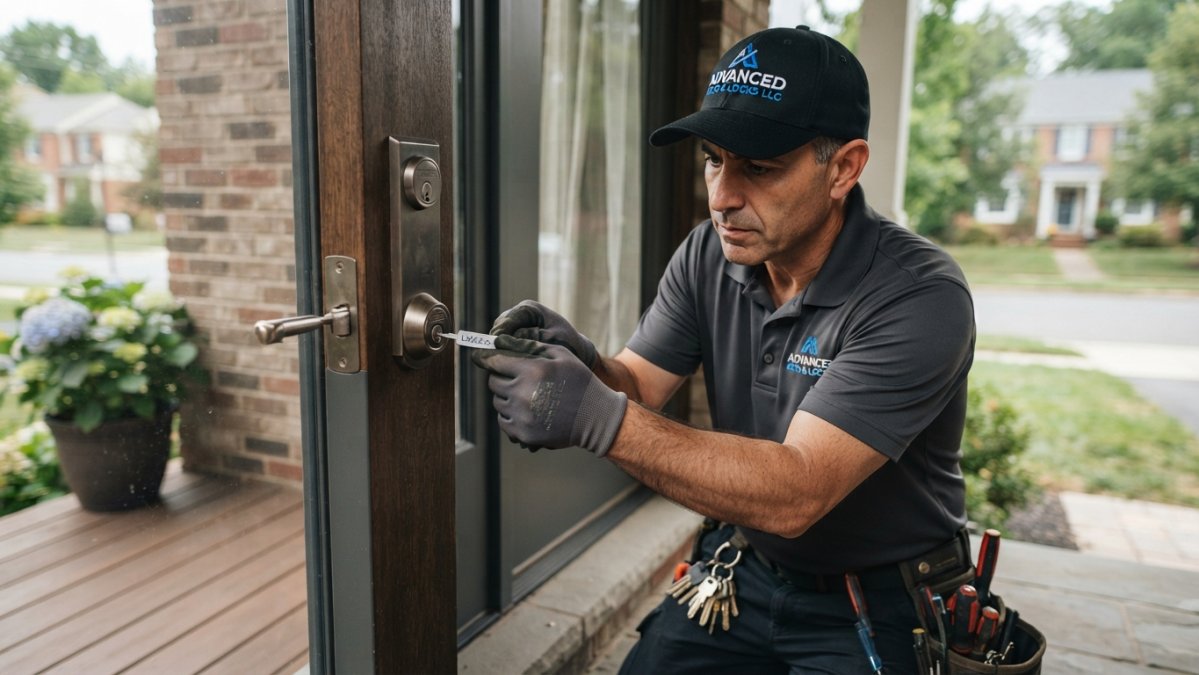
Hardware mounting rewards patience. Measure twice, drill once.
- Mark reader height at roughly 48 inches from the finished floor, on the latch side of the door.
- Verify there is no stud or conduit behind the mark before drilling.
- Cut the strike pocket to the template depth, test-fit, then adjust.
- For mag locks, confirm the door and frame can carry the armature plate and that the door closes flush.
- Torque all fasteners to spec and check that the door latches without binding.
Install a request-to-exit sensor or door contact on every door using fail-secure hardware. Without it, a person inside cannot leave without a credential, a safety problem and a code violation.
DIY vs Professional Access Control Installation
DIY vs professional access control installation is a risk-transfer decision. The right answer depends on the door, the code exposure, and what your time and liability are worth.
Where DIY Actually Works
DIY is realistic when the scope stays inside a plug-and-play smart lock. That means:
- A single wood-frame entry door with an existing deadbolt bore
- No fire-rated opening and no door that serves as a required means of egress from a sleeping area
- A lock that runs on batteries or a low-voltage adapter and pairs over Wi-Fi, Bluetooth, or a hub
- No request-to-exit device, no electric strike, no mag lock, no separate controller
Where DIY Breaks Down
Once the project touches a hardwired reader, electric strike, mag lock, or networked controller, the DIY math changes. Three failure modes recur:
- Frame and door prep errors. Cutting a strike pocket to the wrong depth, or drilling a reader hole without checking for a stud or conduit, damages the door and frame. A replacement door costs far more than the labor you saved.
- Code and egress exposure. Fail-secure hardware without a request-to-exit device traps occupants during a fire, a life-safety violation and the most common defect found on residential retrofits.
- Wiring and power mistakes. Undersized cable, unshielded runs next to line voltage, or a power supply sized without headroom cause intermittent reader dropouts that are expensive to diagnose after the wall is closed.
The Real Cost-Benefit Math
Frame the decision as total cost of ownership, not sticker price:
- DIY upfront: lower cash outlay, but you absorb tool rental, replacement parts, and your own hours.
- DIY hidden cost: rework. A misaligned strike or miswired reader usually means opening the door a second time, sometimes replacing damaged hardware.
- Professional upfront: higher labor line, but the installer carries the templates, test equipment, insurance, and code knowledge.
- Professional hidden benefit: liability and code compliance shift to the licensed contractor. If an inspection fails or a door fails to release in an emergency, that is on them.
A Simple Decision Rule
- One wood door, battery smart lock, no egress or fire-rated opening: DIY is reasonable.
- Two or more doors, any glass or aluminum frame, any fail-secure hardware, any required means of egress: hire a licensed installer.
- Rental property: get written permission from the owner before touching any locking hardware, regardless of who installs it.
Smart Lock Installation Cost and Budgeting
Smart lock installation cost depends on door count, hardware grade, and whether new cabling is required. Any quote given before a survey is a guess.
Budget by category rather than by sticker price:
- Hardware: readers, controllers, locks, power supply
- Cabling: cable, conduit, connectors, labor to pull
- Labor: mounting, termination, programming, testing
- Ongoing: cloud subscription, battery replacement, service calls
Software Setup, Testing, and Commissioning
Software configuration is where the system becomes usable. You are done not when the door locks, but when the right people get in and the wrong people do not.
Set up in this order:
- Create the admin account and change every default password.
- Connect the IP-based controller to the network and confirm it reports online.
- Add users and assign access levels by door and by schedule.
- Set the audit trail retention so you can review entries later.
- Configure the fire alarm interface if the system ties into one.
- Test every credential at every door, including the request-to-exit device.
- Run a power-loss test to confirm fail-safe and fail-secure behavior.
Maintenance, Troubleshooting, and Legal Considerations
An unmaintained system fails at the worst moment, and one installed without regard for residential code and privacy rules creates liability long after the installer leaves.
Routine Maintenance Schedule
Plan maintenance by interval, not by mood:
- Monthly: wipe reader faces and biometric sensors with a dry microfiber cloth; check that every door latches without binding.
- Quarterly: test fail-safe and fail-secure behavior by cutting power to the circuit; test every request-to-exit device; review the audit trail for unusual access patterns or repeated failed attempts.
- Annually: replace batteries in the power supply and any wireless locks; inspect exposed cabling at the door for chafing; confirm firmware is current on the controller and readers.
- After any power event: verify the controller came back online and that scheduled access levels are still correct.
Troubleshooting by Symptom
Most residential access control failures present in predictable ways:
- Reader stops responding: usually a loose connection at the pigtail or a failing power supply, not a dead reader. Check voltage at the device before replacing hardware.
- Intermittent mobile access latency: weak Wi-Fi at the door. A mesh node or a wired access point near the entry fixes more of these than any credential change.
- Door does not release on a valid credential: check the request-to-exit device and the strike alignment before assuming a controller fault.
- System loses time or schedules drift: the controller battery or network time source is the usual cause.
- Biometric reader rejects known users: clean the sensor first; oily or dusty sensor faces are the most common cause of false rejects.
Residential-Specific Legal and Privacy Considerations
Landlord and tenant law. Renters in most states cannot alter locking hardware without written permission from the owner. Even a battery smart lock replacing an existing deadbolt can count as an alteration. Get written permission before installation and keep a copy.
Conclusion
Residential access control system installation rewards planning over speed. Survey the doors, match hardware to the frame, run clean cable, and commission properly, skip any step and you will pay later.
Frequently Asked Questions
How much does it cost to install an access control system?
Costs vary widely based on door count, lock type, wiring runs, and whether you choose a smart lock or a full controller-based system. A single smart lock costs less than a multi-door setup with electric strikes, request-to-exit sensors, and a power supply unit. Advanced Keys & Locks LLC publishes current pricing on its website and gives upfront quotes, so you can confirm your total before work starts.
Can I build a DIY access control system myself?
You can install a standalone smart lock or keypad deadbolt yourself with basic tools. Full access control installation involves low-voltage cabling, a power supply unit, door contacts, and often a fire alarm interface, which most homeowners cannot wire safely or to code. If your setup needs a controller, electric strike, or magnetic lock, hire a licensed professional to avoid failed inspections and voided warranties.
What components are required for a residential access control setup?
A basic residential system includes a door reader or keypad, a credential such as a key fob or mobile access, an IP-based controller, a power supply unit, and locking hardware like an electric strike or magnetic lock. Add a request-to-exit sensor and door contact for safe egress and monitoring. Cloud-based management software handles access levels, user provisioning, and audit trails from your phone.
How do smart locks integrate with residential access control systems?
Smart locks can work standalone or connect to a broader access control panel through Wi-Fi, Z-Wave, or a bridge. Integration lets you manage access levels, revoke credentials, and review an audit trail from one app. Confirm the lock supports the same protocol as your controller before buying, and check that firmware updates are available, since outdated firmware can break authentication.
Is it better to hire a professional for access control installation?
For single-door smart locks, DIY is reasonable. For anything involving multiple doors, electric strikes, mag locks, or fire alarm interfaces, professional installation is safer and often required by local code. Certified locksmiths handle low-voltage cabling, mounting, commissioning, and testing in one visit, and they can confirm fail-safe versus fail-secure settings match your building's egress requirements.
What maintenance is required for residential access control systems?
Check batteries and power supply backups every six months, clean readers and biometric scanners, and test request-to-exit sensors and door contacts quarterly. Apply firmware updates when released to close security gaps. Review audit trails monthly for unusual credential use. If latency or read failures appear, inspect wiring connections and the power supply unit before replacing hardware.