 blog
blog
Can You Rekey a Smart Lock or Replace It?
Table of Contents
- What Rekeying Means and How It Works on Smart Locks
- Can You Rekey a Smart Lock? The Short Answer
- How to Change a Smart Lock Code Without Rekeying
- Smart Lock Key Cylinder Replacement vs. Rekeying
- Smart Lock Master Code Reset and Access Control
- Rekeying Rental Apartment Locks: Tenant and Landlord Considerations
- When to Replace Instead of Rekey a Smart Lock
- Security Implications: Rekeying vs. Replacement
- Frequently Asked Questions
Last Updated: October 10, 2026
What Rekeying Means and How It Works on Smart Locks
Rekeying is the process of changing which physical key opens a lock without replacing the lock itself.
Smart locks complicate this picture. Many combine physical key cylinders with digital access methods like PIN codes, app controls, and biometric readers. Whether you can rekey a smart lock depends entirely on its design.
Can You Rekey a Smart Lock? The Short Answer
Yes, you can rekey a smart lock if it has a physical key cylinder. No, you cannot rekey a fully keyless smart lock that relies only on digital access.
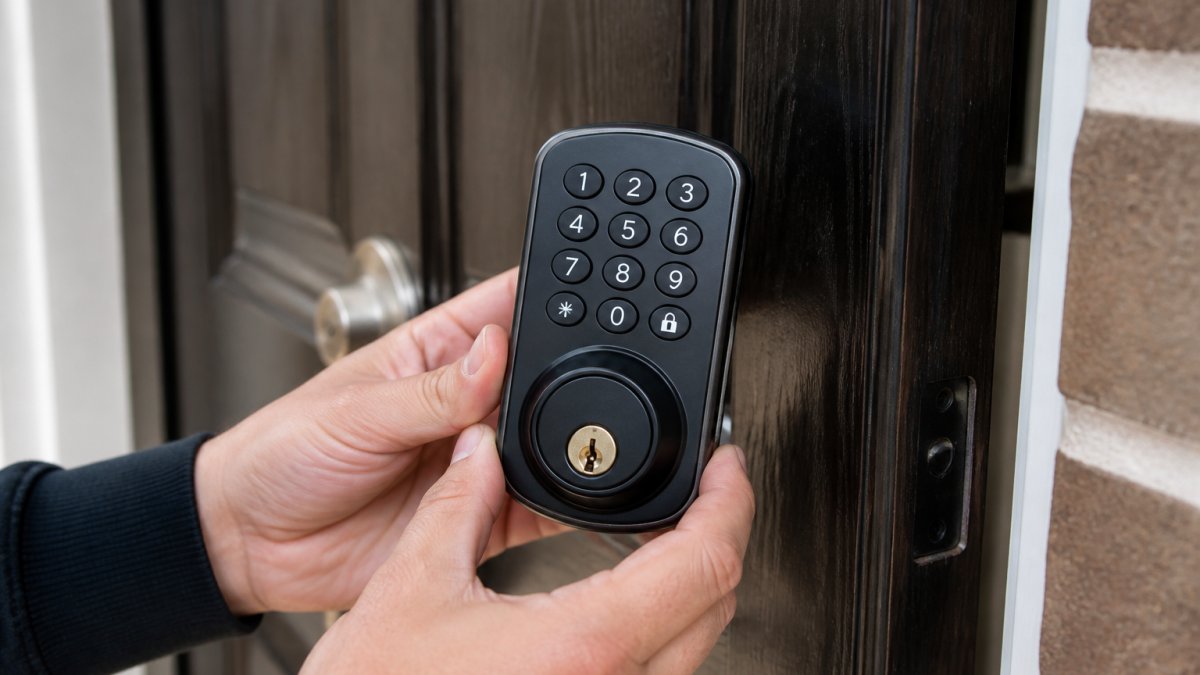
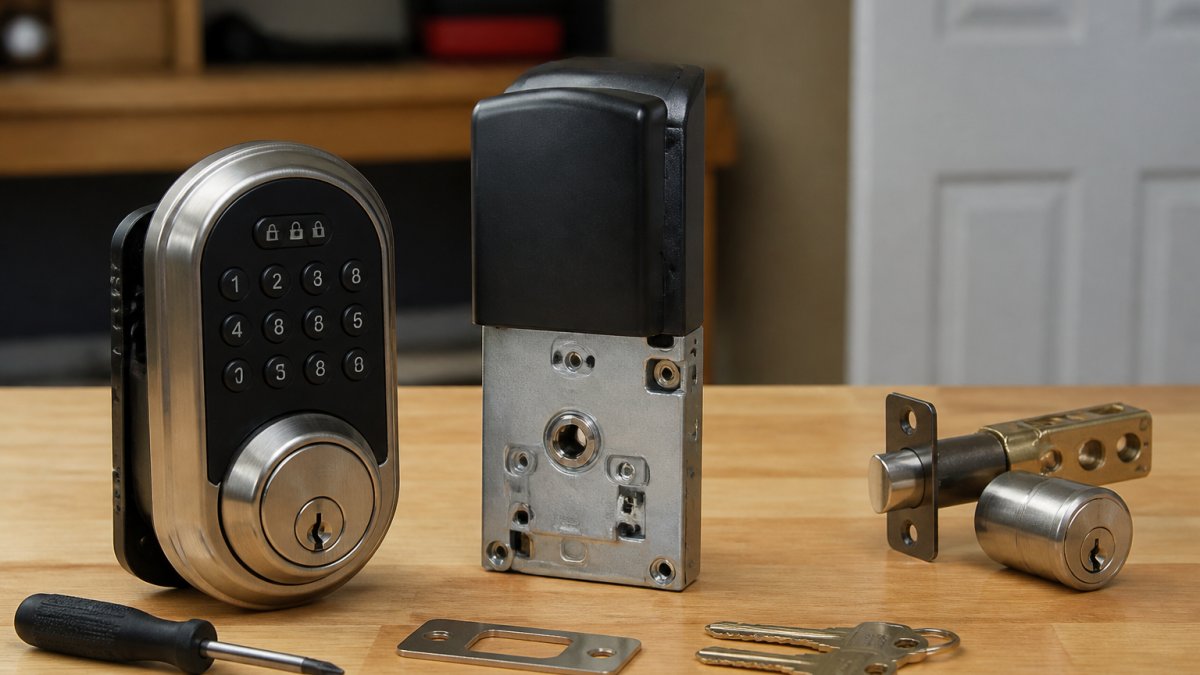
[IMAGE: Professional locksmith's hands holding a smart lock deadbolt showing both the physical key cylinder and digital keypad interface on a residential front door | section:Can You Rekey a Smart Lock?
Physical cylinders and hybrid models
Many smart locks retain a physical key cylinder for backup access. Brands like Level Lock, August, and some Schlage models include this feature. If your smart lock has a keyway, a locksmith can rekey the cylinder using standard rekeying tools. The process is identical to rekeying a traditional deadbolt: the locksmith removes the cylinder, adjusts the pin configuration, and cuts a new key.
Fully keyless smart locks
Locks like Yale Assure, some August models, and many newer systems have no physical key slot. Rekeying is impossible because there's nothing to rekey. Your only option is changing digital access credentials.
How to Change a Smart Lock Code Without Rekeying
If your smart lock is fully keyless or you want to change digital access, you can reset PIN codes, app permissions, and user access through the lock's control panel or mobile app. Most smart locks let you add and remove PIN codes, delete old app access, reset a master code, and revoke access to previous owners or tenants instantly.
Smart Lock Key Cylinder Replacement vs. Rekeying
Rekeying the physical cylinder costs less than replacement but only works if your lock has a physical key cylinder in working order and a locksmith can source a compatible key. Replacement costs more but gives you a fresh cylinder and eliminates compatibility questions.
Identifying whether your smart lock has a rekeyable cylinder
Not all smart locks include a physical key slot. Before deciding between rekeying and replacement, confirm your lock's design:
Hybrid smart locks with physical cylinders (rekeyable): Level Lock, August Smart Lock Pro, Schlage Encode, Yale Assure SL, and Kwikset Halo. A locksmith can rekey the cylinder using standard tools. The smart features, app, PIN codes, biometrics, remain unaffected.
Fully keyless smart locks (not rekeyable): Yale Assure (some models), August Smart Lock (original), Level Lock+ (some versions), and Nuki Smart Lock. Rekeying is impossible. Your only option is changing digital access codes and app permissions.
How to check your lock's design
- Look at the lock face. Does it have a visible keyway (the slot where a key inserts)? If yes, it's rekeyable. If no, it's keyless.
- Check the manual or product page. Search the manufacturer's website for your model number and look for "key cylinder," "backup key," or "physical key" in the specifications.
- Contact the manufacturer. Call or email with your model number. They can confirm whether the cylinder is user-replaceable or requires factory service.
Cylinder compatibility and replacement limits
Even if your smart lock has a cylinder, not every cylinder is compatible. Smart locks often use proprietary cylinders or non-standard keyways. Rekeying is possible if the lock uses a standard keyway (like Schlage SC1, Kwikset KW1, or Medeco) and a locksmith can source a compatible cylinder. Replacement is necessary if the lock uses a proprietary cylinder, the manufacturer has discontinued it, or the cylinder is integrated into the lock body.
Cost and labor comparison
Rekeying a smart lock cylinder: $80-$165 total (30-60 minutes). Replacing a smart lock cylinder: $140-$320 total (45-90 minutes). Replacing the entire smart lock: $250-$650 total (1-2 hours).
When rekeying the cylinder makes sense
- You moved into a home and want to change the key from the previous owner
- A tenant moved out and you want to rekey before the next tenant moves in
- You lost a key and want to prevent the previous owner from re-entering
- The lock is functioning well and you only need to change which physical key opens it
- Your smart lock uses a standard keyway and compatible cylinders are available
When replacement makes sense
- The cylinder is worn, corroded, or difficult to turn
- The lock uses a proprietary cylinder and compatible replacements are unavailable or expensive
- You're upgrading to a higher-security keyway (e.g., from Schlage SC1 to Medeco)
- The lock model is obsolete and parts are hard to find
- You want to standardize keys across multiple locks and your current lock doesn't match
Smart-lock-specific rekeying decision tree
- Does your lock have a physical key cylinder? → No → Skip rekeying; change digital codes instead.
- Is the cylinder in good working condition? → No → Replace the cylinder or lock.
- Does the manufacturer offer replacement cylinders? → No → Replace the entire lock.
- Are replacement cylinders available from a locksmith? → No → Replace the entire lock.
- Is the cost of rekeying significantly less than replacement? → Yes → Rekey. → No → Consider replacement for a fresh lock.
When in doubt, ask your locksmith to inspect the lock and provide a quote for both rekeying and replacement. The difference is often small enough that replacement becomes the better long-term investment.
Smart Lock Master Code Reset and Access Control
A master code is a primary PIN that overrides all other access methods and allows you to add or remove users, change settings, and perform factory resets. Resetting it is critical for security, but it's only one part of a larger access-control decision: you must also decide whether to change the physical key and revoke app users.
Master code reset: how and when
Most smart locks let you reset the master code by pressing a physical reset button inside the lock, entering a factory reset sequence on the keypad, using the mobile app (if logged in), or contacting the manufacturer with proof of ownership. After a reset, all previous PIN codes, app users, access schedules, and automation rules are deleted.
Distinguishing between physical key compromise and digital access compromise
Smart locks create two separate security layers: the physical key (if the lock has a cylinder) and the digital credentials (PIN codes, app users, biometric data). A compromise in one layer does not automatically require resetting the other. If someone has a physical key, rekey the cylinder or replace the lock.
Access revocation workflow for smart locks
When a tenant moves out, an employee is terminated, or a family member moves away, you must revoke their access. To revoke a single user, open the smart lock app, navigate to Users or Access Control, select the user, and delete their PIN code, app access, or biometric data. This takes 1-2 minutes and costs nothing, but if they have a physical key, they can still enter.
Security response matrix: lost keys vs. compromised access
Lost physical key: Rekey the cylinder or replace the lock ($80-$650). Schedule within 1-2 weeks. Compromised app access: Delete the user from the app immediately ($0). Change the master code if the breach is widespread. Tenant moved out, unsure about keys: Rekey the cylinder AND delete their app access ($80-$165).
Coordinating physical and digital access changes
When you rekey a smart lock's cylinder, the digital access system is unaffected. When you reset the master code, the physical key still works. For tenant turnover: Delete the outgoing tenant's app access immediately, rekey the cylinder or replace the lock within 1-2 weeks, set a new master code, add the new tenant's app access and PIN codes, and provide a physical key. For security breach: Revoke all user access immediately, change the master code immediately, rekey or replace the lock within 24-48 hours, and audit the access logs.
Access logs and audit trails
Most smart locks maintain an access log showing who unlocked the lock, when, and by which method. Review logs regularly for unlock attempts at unusual times, multiple failed PIN attempts, access from unfamiliar users or devices, or gaps in the log. If you detect suspicious activity, delete the suspected user immediately and consider rekeying or replacing the lock.
Rekeying Rental Apartment Locks: Tenant and Landlord Considerations
Tenant requesting a rekey: Contact your landlord in writing. Most states require landlords to provide secure locks. Landlord rekeying between tenants: Rekey or replace locks between each tenant. Never assume the previous tenant returned all keys. Lost keys during tenancy: Contact your landlord immediately. They decide whether to rekey or issue a new key. Smart locks and tenant access: You can change PIN codes and app access without rekeying, which is faster and cheaper.
When to Replace Instead of Rekey a Smart Lock
Security compromise or lost keys
If someone lost a key or you suspect unauthorized access, rekeying the cylinder buys time but doesn't address the root cause. Replacement gives you complete peace of mind.
Rekeying assumes the old key is the only problem. Replacement assumes the lock itself may be compromised. For high-security situations, replacement is the safer choice.
Battery failure or power issues
Smart locks require power. If your lock frequently loses battery or has wiring issues, the mechanical components may also be failing. Replacement ensures everything works reliably.
A failing lock that won't open reliably is worse than a lock you can't rekey. If you're already calling a locksmith to fix power problems, ask about replacement costs.
Incompatible models or outdated hardware
Older smart lock models may not support modern app ecosystems. You might want to upgrade to a newer model with better features, integration, or security standards.
Rekeying an outdated lock keeps you stuck with outdated hardware. Replacement lets you move to current technology.
Security Implications: Rekeying vs. Replacement
Rekeying changes which physical key opens the lock but doesn't upgrade security features. Replacement can introduce better security.
If you're rekeying a 10-year-old lock, you're keeping 10-year-old security. Modern locks offer stronger cylinders, better keyways, and resistance to picking and bumping.
Rekeying is the right choice when your lock is secure but you need new keys.
Frequently Asked Questions
Can you rekey a smart lock?
It depends on the model. Smart locks with physical key cylinders, such as hybrid models that combine keypad and traditional lock mechanisms, can often be rekeyed by a locksmith. Fully keyless smart locks without a physical keyway cannot be rekeyed; instead, you change access by resetting codes or removing users from the app. Always check your manufacturer's documentation or contact a certified locksmith to confirm whether your specific smart lock model supports rekeying.
How do you change a smart lock code without rekeying?
Most smart locks allow you to change access codes directly through the lock's app or control panel. Open the manufacturer's app, navigate to user management or access codes, and add a new code or remove an old one. Some models require you to enter a master code on the keypad to modify user codes. This method instantly revokes previous access without any physical rekeying, making it ideal for changing tenants or removing compromised credentials.
What happens to app access and connected devices when you rekey a smart lock?
Rekeying the physical cylinder does not affect app access or digital credentials. If you rekey a hybrid smart lock, the physical key changes, but user codes and app permissions remain active unless you manually remove them. To fully revoke access after rekeying, you must also reset the master code and remove users from the app. This is especially important when moving into a new home or after a security breach, rekeying alone is incomplete without resetting digital access.
When should you replace a smart lock instead of rekeying it?
Replace a smart lock if the battery is dead and cannot be replaced, the lock is incompatible with your door or deadbolt, the mechanism is damaged or malfunctioning, or you need a security upgrade. Also replace if you have lost keys to a fully keyless model, since rekeying is impossible. Replacement is faster and more secure than rekeying when the lock is old, unreliable, or no longer supported by the manufacturer.
Advanced Keys & Locks LLC specializes in both rekeying and replacement for residential and commercial locks, including smart lock systems. Whether you need to change physical keys, reset digital access, or upgrade your entire lock hardware, our certified locksmiths provide transparent pricing and fast service 24/7 across the DMV area. Contact us for a free assessment of your lock situation and a clear recommendation tailored to your security needs.