 blog
blog
Pros and Cons of Keyless Entry Systems: 2026 Guide
Table of Contents
- Keyless Entry Systems: What You're Actually Buying
- Types of Keyless Entry Systems Compared
- The Pros: Convenience, Access Control, and No More Duplicate Keys
- The Cons: Battery Life, Lockouts, and Code Sharing
- Keyless Entry vs. Traditional Locks: A Side-by-Side Decision Framework
- Smart Lock Security Risks and Privacy Concerns
- Keyless Lock Installation Cost and Total Cost of Ownership
- Failure Scenarios, Power Outages, and Recovery Plans
- Frequently Asked Questions
Last Updated: October 19, 2026
Keyless Entry Systems: What You're Actually Buying
A keyless entry system is a locking setup that opens with a code, fob, card, or phone instead of a cut metal key.
The pros and cons of keyless entry systems come down to four trade-offs: convenience, control, power, and failure. Get those right and a keyless door lock feels like an upgrade.
Below, we break down the types, the real advantages, the drawbacks nobody mentions, and how to decide.
Types of Keyless Entry Systems Compared
Three main families cover almost every keyless door lock on the market. Each one solves a different problem.
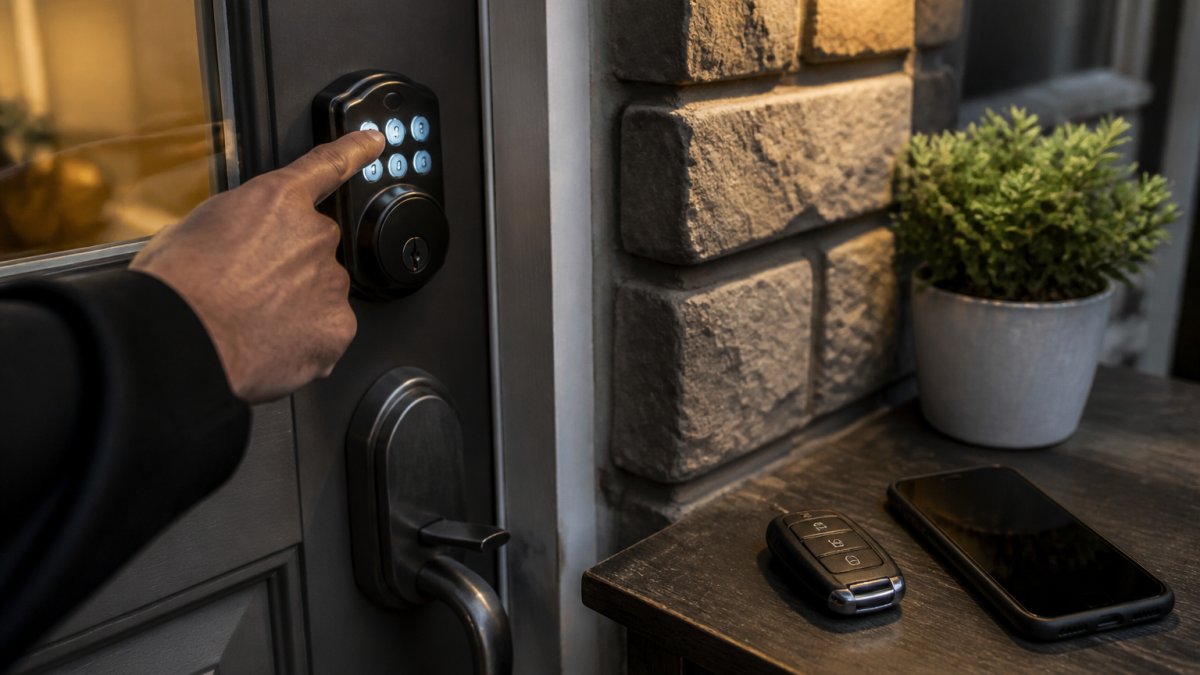
Keypad and PIN Code Locks
A keypad lock opens when you type a PIN code. There's no key and no phone needed.
These are the workhorses for rentals, home entries, and small offices. You can set a temporary PIN for a dog walker, then delete it. Many models also keep an access log, so you can see when a code was used.
The catch: shared codes get shared further. Change them on a schedule.
Key Fobs, Access Cards, and Mobile Credentials
Fobs, cards, and smartphone access suit buildings with many users. A property manager can issue a digital key to a tenant, then revoke it the day they move out.
Mobile credentials add remote access over Wi-Fi or Bluetooth. That's convenient. It also means your lock now depends on software, batteries, and wireless connectivity.
The Pros: Convenience, Access Control, and No More Duplicate Keys
The biggest win is control over who gets in, and when.
Traditional keys are permanent. You hand one out and it works forever. A keyless entry system lets you manage users in seconds:
- Set a temporary PIN that expires
- Revoke a mobile credential remotely
- Check an entry history log
No more duplicate keys. No more "who has a copy?" conversations.
For landlords and facility managers, this is the real value. Access management replaces the lockout-and-rekey cycle. For homeowners, it's simpler: no fumbling for keys with full hands.
The Cons: Battery Life, Lockouts, and Code Sharing
Every keyless door lock runs on power, and that's the weak point.
Battery life varies by model and traffic, but most locks warn you before they die. Ignore the warning and you'll meet your first lockout.
Code sharing is the second issue. A PIN passed to a contractor can travel.
The third drawback is complexity. When it fails, a locksmith call is the fix.
Keyless Entry vs. Traditional Locks: A Side-by-Side Decision Framework
Here's the short version: traditional locks win on simplicity and cost, keyless wins on control.
| Factor | Traditional Key Lock | Keyless Entry System |
|---|---|---|
| Entry method | Physical key | PIN code, fob, card, phone |
| Managing users | Rekey or copy keys | Add or delete users in seconds |
| Power needed | None | Battery or wired |
| Failure risk | Worn pins, lost keys | Dead battery, electronics |
| Best for | Simple, low-traffic doors | Rentals, offices, multi-user homes |
| Backup plan | Spare key | Backup key or jump terminal |
Use this rule: if more than three people need regular access, go keyless. If it's one door and two people, a quality traditional lock is hard to beat.
Smart Lock Security Risks and Privacy Concerns
Smart locks add real capability. They also add real risk if you skip basic steps.
The main concerns are weak codes, shared logins, and unpatched software. A four-digit code like 1234 is not security.
Privacy matters too. Some systems log every entry and sync it to an app.
On the security side, most reputable smart locks use encrypted wireless connections. Check for that.
Keyless Lock Installation Cost and Total Cost of Ownership
Most keyless entry articles stop at the sticker price of the lock. The number that actually matters is the five-year cost of ownership, and it is almost always higher than the box price suggests. Here is how the line items break down so you can compare a keyless system against rekeying or duplicating conventional keys on equal terms.
The upfront costs
- The lock or reader itself.
- Installation labor. A straight swap on a standard residential door is a short job; a commercial reader that needs low-voltage wiring, a power supply, and a controller is a multi-hour install. Ask for a written, itemized quote rather than a single bundled number.
- Door and frame prep. Older doors may need mortising, a new strike plate, or a thicker backset. That is finish carpentry, not lock work, and it is the line item buyers forget.
The recurring costs
- Batteries.
- Subscriptions. Some app-based systems charge a monthly or annual fee for remote access, cloud entry logs, or multiple-user management. Read the plan tiers before you buy, because a "free" app often becomes a paid tier once you add a second user or want history beyond a few days.
- Cellular or Wi-Fi bridges. If the lock needs a hub or bridge to reach the internet, that is another device to buy, power, and eventually replace.
The comparison most buyers never run
A traditional lock has almost no recurring cost, but it has a hidden one: rekeying and key duplication.
Run the math on your own door: add the lock, installation, batteries, any subscription, and an allowance for one service call over five years. Compare that to the cost of the lock you have plus the rekeys and duplicate keys you expect.
At Advanced Keys & Locks LLC, we itemize the quote so the five-year number is visible before you commit, not after the first subscription renewal.
Failure Scenarios, Power Outages, and Recovery Plans
A keyless system is only as good as its worst day. The difference between a minor inconvenience and a locked-out household is whether you wrote the recovery plan before the failure happened. Here is what actually goes wrong and what to do about each case.
Dead battery
This is the most common failure and the most preventable. Most residential keyless locks give a low-battery warning, a chirp, a flashing light, or an app notification, for days or weeks before the cells die. When they do die, the recovery path depends on the model:
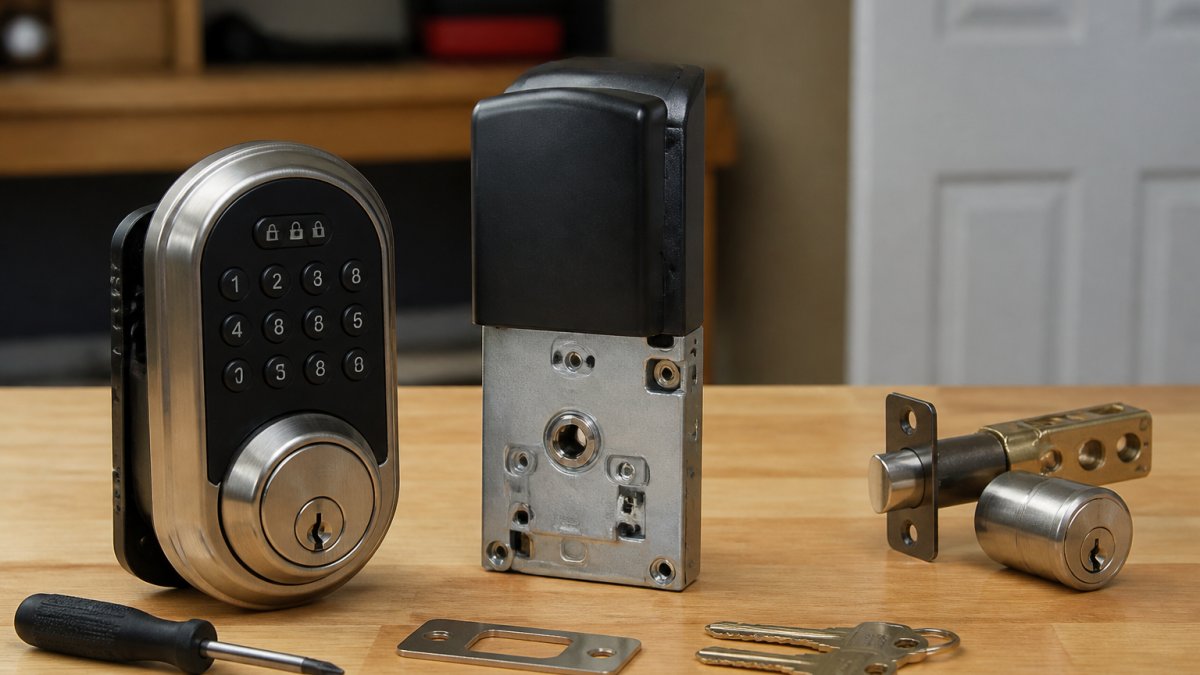
- Mechanical override. Most residential keypad deadbolts hide a keyway under a cover or behind the keypad face. The backup key opens the door even with a dead battery.
- Jump terminals. Some models have two contact points on the exterior that accept a 9-volt battery to power the lock long enough to enter a code. Keep a 9-volt in the glove box if your lock uses this design.
- No override. A small number of budget models have neither. Avoid them for an exterior door, or accept that a dead battery means a locksmith call.
Replace batteries on a schedule, many owners do it once a year whether the lock asks or not, and keep a spare set where you can find them.
Power outage
Battery-powered locks are unaffected by a grid outage; that is one of their quiet advantages. Wired systems, commercial readers, electric strikes, and maglocks, behave differently:
- Fail-safe vs. fail-secure. A fail-safe lock releases when power is lost, which is correct for fire egress but means the door is open. A fail-secure lock stays locked, which is correct for security but means you need a backup power source and a mechanical key for egress. Know which one your door uses before an outage, not during one.
- Backup power. Commercial systems should have a battery backup or UPS sized to carry the controller and lock through a typical outage. Test it annually.
Forgotten or compromised code
Every keypad system needs a master or admin credential that can add and delete user codes. Store that master code somewhere separate from the lock, a safe, a password manager, or a sealed envelope with a trusted person, not taped inside the door frame. If a code is shared too widely, delete it and issue a new one rather than trying to track who has the old one.
Lost phone or revoked credential
App-based systems make revocation easy, which is the point. Log in from another device, remove the lost phone's credential, and issue a new one. The catch is account recovery: if the phone was also your two-factor device, make sure you have a backup recovery method set up in advance. A second admin on the account solves this for most households and small offices.
Connectivity failure
Wi-Fi and Bluetooth are conveniences, not requirements, for a well-designed lock. Good mobile-credential systems store codes and schedules on the lock itself, so entry still works when the router is down or the internet is out. The app may not show live status until connectivity returns, but the door still opens. Ask this question before you buy: does the lock need the cloud to open, or only to manage?
Broken keypad or reader
Physical damage, weather, vandalism, a dropped package, is the failure that most often requires a service call. The recovery plan is the same as for a dead battery: use the mechanical override if the lock has one, and call a locksmith for repair or replacement. Keep the model number and any admin credentials somewhere you can find them, because replacement is faster when the technician knows what is on the door.
Write the plan down
A one-page recovery plan covers most failures:
- Where the backup key is kept (and who else knows).
- The master or admin code, stored separately from the lock.
- Which lock model is on each door, and whether it has a mechanical override or jump terminals.
- Whether the system is fail-safe or fail-secure, and where the backup power is.
- A locksmith number you trust, saved in more than one phone.
Frequently Asked Questions
What are the main advantages of keyless entry systems?
The biggest advantages are access control and convenience. You can issue a temporary PIN code to a dog walker or contractor and delete it the same day, instead of handing out a physical key and later paying to rekey the lock. Entry history logs show who came in and when, which matters for rentals and small businesses. There are no duplicate keys to track, and code changes take seconds rather than a locksmith visit. For multi-unit properties, that control over user permissions is often worth more than the hardware itself.
Can a keyless entry system work during a power outage?
Battery-powered keypad and smart locks keep working during a grid outage because they do not draw from household power. The failure point is the lock's own batteries, not the electric grid. Most models warn you with a low-battery alert days or weeks before failure, and many accept a 9-volt jump or a backup key. Hardwired access control systems on a building's electrical circuit need battery backup or an uninterruptible power supply. Ask your installer how the specific unit behaves when power and batteries both fail, and confirm a mechanical override exists.
Are keyless entry systems a good choice for rental properties?
They can be, with conditions. Keyless locks solve the turnover problem: you change a code between tenants instead of rekeying, and you can grant temporary access to maintenance staff without a key handoff. Check your lease and local rules first, since tenants in some jurisdictions have the right to control their own entry hardware, and a landlord-installed smart lock may need written consent. Also confirm the lock supports guest access and access logs, and keep a mechanical backup key with the property manager for lockout recovery.
How much does it cost to install a keyless entry system?
Keyless lock installation cost depends on the lock type, door hardware compatibility, and whether wiring is needed. A battery keypad deadbolt on a standard door is a straightforward swap, while hardwired access control with mobile credentials and multiple readers takes more labor and planning. Pricing also varies by how many doors and users you are managing. Advanced Keys & Locks LLC publishes pricing on its website and quotes upfront with no hidden fees, so you can get an exact figure for your door rather than a generic estimate.
Keyless entry is a real upgrade for multi-user doors, rentals, and offices. It's overkill for a single low-traffic door. The deciding factor isn't the lock. It's whether you have a backup plan.
If you want that plan handled for you, Advanced Keys & Locks LLC installs and services keyless and smart locks with 24/7 emergency support, upfront pricing, and certified, insured technicians. Get a quote and we'll walk your doors with you.