 listicle
5 Best Smart Locks for Apartment Doors in 2026
Table of Contents
- Quick Comparison: 5 Best Smart Locks for Apartment Doors
- 1. August Smart Lock: Best Smart Lock for Apartment Door Without Changing Lock
- 2. Schlage Arrive Smart WiFi Deadbolt: Best Overall Wi-Fi Pick
- 3. Kwikset Halo Touch: Best for Fingerprint and Multi-Method Access
- 4. Nest x Yale: Best for Keyless and Voice Control
- 5. Ultraloq U-Bolt Pro WiFi: Best Budget-Friendly Wi-Fi Option
- Smart Lock Compatibility with Deadbolt: What Apartment Renters Must Check
- Apartment Smart Lock Installation: Renter-Friendly Steps and Lease Rules
- Frequently Asked Questions
Last Updated: October 17, 2026
Quick Comparison: 5 Best Smart Locks for Apartment Doors
Choosing an apartment smart lock means balancing three things: renter-friendly installation, deadbolt compatibility, and access control you can hand to guests without handing over a physical key. This guide from Advanced Keys & Locks LLC covers the five models we recommend most often for apartment doors in 2026, plus the compatibility checks and lease rules that decide whether a lock is even an option.
Our shortlist favors locks that work with an existing single-cylinder deadbolt where possible, and full replacements where a landlord allows them.
| Lock | Best For | Installation Type | Access Methods |
|---|---|---|---|
| August Smart Lock | No lock replacement | Retrofit over deadbolt | Phone, key fob, guest codes |
| Schlage Arrive Smart WiFi Deadbolt | Overall Wi-Fi pick | Full deadbolt replacement | Keypad, app, physical key |
| Kwikset Halo Touch | Fingerprint access | Full deadbolt replacement | Fingerprint, keypad, app, key |
| Nest x Yale | Keyless and voice control | Full deadbolt replacement | Keypad, app, voice |
| Ultraloq U-Bolt Pro WiFi | Budget Wi-Fi | Full deadbolt replacement | Keypad, app, fingerprint |
1. August Smart Lock: Best Smart Lock for Apartment Door Without Changing Lock
August makes the strongest case for renters who cannot touch the existing hardware. The lock fits over the interior side of a single-cylinder deadbolt, so the exterior key cylinder stays exactly as the landlord installed it. According to August's renter guidance, the design lets both renter and landlord keep access.
That matters at move-out. You remove the unit and reinstall the original thumbturn, and the door is back to its original condition.
Pros: No cylinder swap, landlord keeps a key, easy reversal. Cons: You still need permission to modify the interior side, and compatibility depends on your deadbolt's brand and backset.
2. Schlage Arrive Smart WiFi Deadbolt: Best Overall Wi-Fi Pick
Schlage's Arrive deadbolt earned a top recommendation from Wirecutter's smart lock testing for 2026, cited for solid hardware and straightforward setup. For apartment doors, the appeal is built-in Wi-Fi: remote locking and unlocking work without a separate hub.
You get a keypad for PIN entry, app control, and a physical key as backup. That last point matters in rentals, because a landlord or property manager can still hold a mechanical key.
Pros: Reliable hardware, no hub needed, multiple access methods. Cons: Replaces the existing deadbolt, so it needs landlord approval and a compatible door prep.
3. Kwikset Halo Touch: Best for Fingerprint and Multi-Method Access
Fingerprint entry is the differentiator here. PCMag's smart lock picks lists the Halo Touch for phone, voice, key, and fingerprint access in one unit. For an apartment smart lock shared with roommates, that range of credentials means everyone picks their own entry method.
Fingerprint recognition also solves the guest problem: no codes to text, no keys to copy.
Pros: Four access methods, fingerprint is fast for daily use. Cons: Full deadbolt replacement, so lease approval and door compatibility checks come first.
4. Nest x Yale: Best for Keyless and Voice Control
Nest x Yale is a fully keyless deadbolt. Security.org's smart lock roundup describes keyless control, voice control, and remote control as its core strengths. If your building has shared entry doors and you want hands-free unlocking while carrying groceries, voice control earns its place.
There is no physical key, which cuts lock-picking risk but means battery management is non-negotiable. Set low-battery alerts and keep a backup entry plan.
Pros: No key to lose or copy, strong voice and remote control. Cons: No mechanical backup, so a dead battery locks you out until you use the app or a backup code.
5. Ultraloq U-Bolt Pro WiFi: Best Budget-Friendly Wi-Fi Option
Ultraloq's U-Bolt Pro WiFi appeared in 2026 smart-lock comparisons as a Wi-Fi model worth shortlisting. It covers keypad, app, and fingerprint entry at a lower entry point than the premium picks above, which suits renters who want smart features without a large outlay on a unit they may leave behind.
Pros: Wi-Fi built in, multiple access methods, lower cost tier. Cons: Verify deadbolt compatibility and door thickness before ordering.
Smart Lock Compatibility with Deadbolt: What Apartment Renters Must Check
Smart lock compatibility with deadbolt comes down to a short list of measurements and building rules.
1. Deadbolt type. A single-cylinder deadbolt has a key outside and a thumbturn inside. Most smart locks require this.
2. Backset. Measure from the door edge to the center of the deadbolt. The two standards are 2-3/8 inches and 2-3/4 inches.
3. Door thickness. Most smart locks fit doors between 1-3/8 and 1-3/4 inches.
4. Bore hole and cross-bore. A standard deadbolt prep uses a 2-1/8-inch bore hole and a 1-inch cross-bore.
5. Door material. Hollow-core doors cannot reliably hold a deadbolt.
6. Handle clearance. Some keypad and fingerprint locks need several inches of clear space above the deadbolt or beside the handle.
7. Shared-building restrictions. Many multi-unit buildings require the landlord or property manager to retain master access.
8. Fire-egress and hallway rules. Unit entry doors in multi-unit buildings are often fire-rated assemblies.
Apartment Smart Lock Installation: Renter-Friendly Steps and Lease Rules
Apartment smart lock installation splits into two paths, and your lease decides which one you take. Retrofit models like August need only the interior thumbturn removed. Full replacements need the deadbolt swapped, which usually requires written landlord approval.
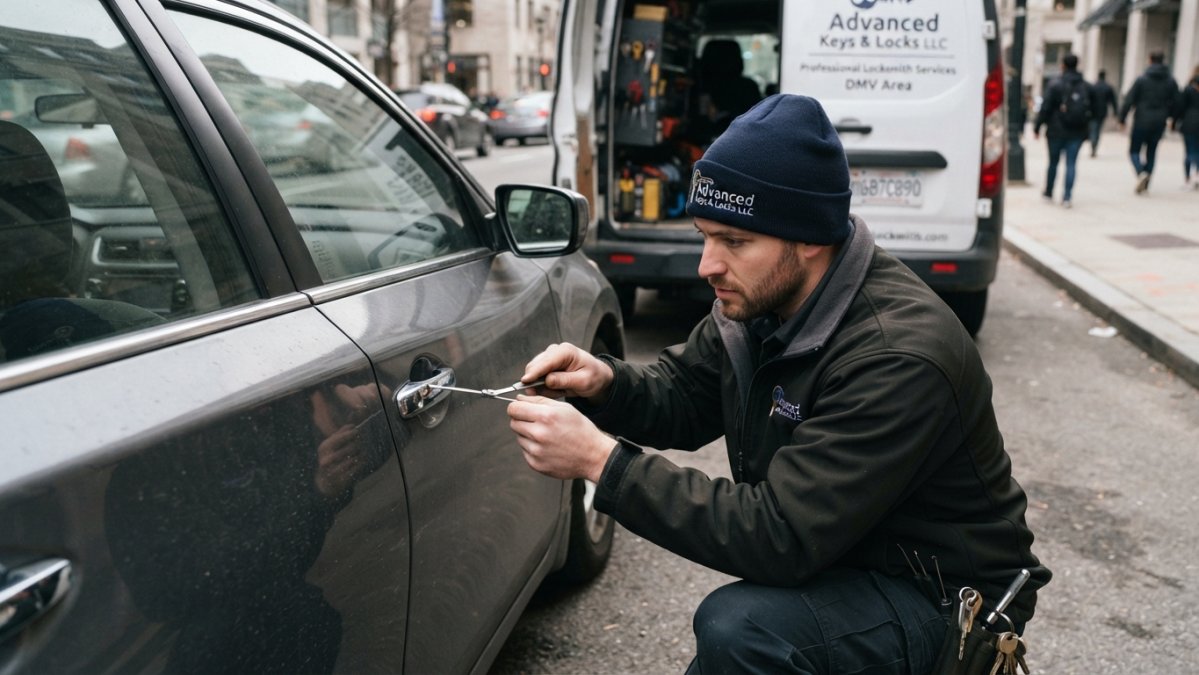
Lease rules to settle before you touch a screwdriver
Read your lease for clauses on lock changes, key duplication, and alterations to the premises. Then get approval in writing, an email from the property manager is enough, but keep it. Many leases require the landlord to retain a key or master access, which rules out fully keyless models unless you add a permanent keypad code for them. Some buildings also restrict changes to fire-rated entry doors, so confirm the door is not part of a rated assembly before you swap hardware.
If your lease forbids permanent changes, a retrofit that clamps over the existing interior thumbturn is the safer path. You keep the original exterior cylinder, the landlord keeps a working key, and move-out is a matter of reinstalling the original thumbturn.
Installation steps that apply to both paths
- Remove the interior thumbturn or the existing deadbolt per the manufacturer's instructions.
- Mount the retrofit plate or new deadbolt using the manufacturer's template, do not freehand a bore hole.
- Pair the lock to the app and set an admin code you will remember.
- Add a permanent code or key for the landlord or property manager if the lease requires it.
- Test auto-lock, low-battery alerts, and manual key override before the door closes behind you.
If the hardware fight gets beyond a screwdriver, call a certified locksmith rather than forcing a bore hole. A forced bore can crack a hollow-core door or void a fire rating, and neither is cheap to fix in a rental.
Failure and lockout planning: the part most guides skip
A smart lock is still a lock, and locks fail. Plan for these scenarios before they happen:
- Dead battery. Most locks warn you with a chirp or an app alert well before the battery dies. Keep a spare set of the correct battery type on hand, many models use four AA batteries, and some use CR123A. Know which yours takes.
- Wi-Fi or hub outage. Local keypad codes and physical keys usually keep working when the network is down. Remote unlock does not. Do not rely on the app as your only way in.
- App or account failure. If your phone is lost, stolen, or the app locks you out, a keypad code or physical key is your fallback. Set one up on day one.
- Lost phone. Revoke the phone's access from another device or the web portal, then reissue credentials. Know where the account recovery flow lives before you need it.
- Emergency physical-key access. If your lock has no key override, confirm the landlord or building manager has a working code or backup method. A fully keyless lock with no backup plan is a lockout waiting to happen.
Privacy and account security
Smart locks collect access logs, and some apps share data with third parties. Before you buy, check what the app logs, whether you can delete the history, whether two-factor authentication is available, and what happens to your access if the account is compromised. For a shared apartment, set individual user codes rather than one shared code, that way you can revoke a roommate's or guest's access without rekeying the whole lock.
Total cost of ownership
The sticker price is not the whole cost. Budget for:
- The lock itself. Retrofit models generally cost less than full replacements.
- Optional hubs. Some locks need a separate hub for remote access; built-in Wi-Fi models do not.
- Subscriptions. Most residential smart locks do not require one, but confirm before buying.
- Replacement batteries. A few dollars a year, but worth knowing.
- Building-level access costs. If your building charges for key fobs or access cards, a smart lock may not replace those fees.
Frequently Asked Questions
Can you put a smart lock on an apartment door without replacing the existing lock?
Yes. Retrofit models like the August Smart Lock are designed to fit over your existing deadbolt, so you keep the original hardware in place. This is the safest route for renters because you can remove the device and restore the door before move-out. Before buying, check your lease for rules on lock modifications and confirm your deadbolt is a single-cylinder type. If your building requires landlord approval, get it in writing first.
Do smart locks work with apartment deadbolts?
Most apartment smart locks work with standard single-cylinder deadbolts, but compatibility depends on door thickness and backset. Measure your door thickness and the distance from the door edge to the center of the deadbolt before you buy. Retrofit locks are the most forgiving because they reuse your existing cylinder. Full replacement locks need a matching backset and bore hole. If you are unsure, a certified locksmith can confirm fit in minutes.
Do apartment smart locks need Wi-Fi?
Not all of them. Bluetooth-only locks let you unlock with your phone when you are nearby, which is enough for most renters. Wi-Fi models add remote locking, unlocking, and real-time alerts when you are away. If your apartment Wi-Fi does not reach the door, a Bluetooth lock or a Wi-Fi bridge placed closer to the entry solves the problem. Decide based on whether you need remote access or just keyless entry.
What should renters check before installing a smart lock?
Check four things: your lease rules on lock changes, your deadbolt type and door measurements, whether you need landlord permission, and your plan for lockouts if the battery dies. Keep the original hardware and a physical key stored safely. Also confirm the lock supports guest access codes if you have roommates or frequent visitors. Document the door condition before installation so you can restore it at move-out.
Which smart lock is best for apartments overall?
The August Smart Lock is the strongest choice for most renters because it installs over your existing deadbolt and does not require replacing the door lock. If you want Wi-Fi and remote control, the Schlage Arrive Smart WiFi Deadbolt is a solid step up. For fingerprint access, the Kwikset Halo Touch offers the most unlock methods. Match the lock to your lease terms and door measurements before you commit.