 how-to
Smart Lock Battery Dies While Away: What to Do
Last Updated: October 23, 2026
Quick Summary
A dead smart lock battery usually leaves the door locked, not open, because the deadbolt still works without power. Confirm the lock is dead rather than offline, then have a trusted key holder use the physical backup key or try model-specific emergency power. Call a licensed locksmith only if those fail.
- A dead battery is a power problem, not a lock failure, so the deadbolt still secures the door.
- App remote unlock cannot work once the smart lock battery is fully dead.
- The backup key override slot is usually hidden under a cover on the exterior keypad.
- Emergency power is model-specific: some locks use 9-volt contacts, others micro-USB or USB-C.
- Test the backup key and override slot twice a year before you travel.
Table of Contents
- What Happens When a Smart Lock Battery Dies While You're Away
- How to Unlock a Smart Lock With a Dead Battery
- Smart Lock Emergency Power: Jump-Starting the Lock From Outside
- Smart Lock Backup Key: Where It Is and Why It Matters
- When to Call an Emergency Locksmith for a Smart Lock Lockout
- Battery Warnings, Battery Life, and a Prevention Checklist
- Planning for Renters, Guests, and Shared Access
- Conclusion
- Frequently Asked Questions
What Happens When a Smart Lock Battery Dies While You're Away
A smart lock battery dying while you're away usually leaves the door locked, not open. That is the good news.
Here is the key fact to hold onto: a dead battery is a power problem, not a lock failure. The deadbolt itself is still doing its job.
The exact behavior depends on the model. Some locks fail locked for safety. Others fail unlocked if power dies mid-cycle.
Does the Door Stay Locked or Unlocked?
Most smart locks stay locked when the battery dies, which keeps your home secure. The motor simply has no power to retract the deadbolt.
But not every lock behaves this way. A few models default to unlocked if power fails during a lock or unlock cycle.
- Fail locked (most common): Door stays secure, entry methods stop working.
- Fail unlocked (rare): Door may be open, which is a security risk.
- Mid-cycle failure: Lock can freeze in an in-between state.
If you are already locked out, the next section walks through your options in order.
How to Unlock a Smart Lock With a Dead Battery
If you are away from home, the order of operations changes. You cannot stand at the keypad, so your first job is to confirm what is actually happening and who can act on your behalf. Work through this sequence before you book a flight home or call a locksmith.
Step 1: Confirm the Lock Is Actually Dead, Not Offline
Open the lock's app and check the last reported battery level and the last communication timestamp. A lock that shows "offline" may still have power; a lock that shows a critical battery level or stopped reporting after a low-battery warning is more likely dead.
This matters because a Wi-Fi or hub outage looks identical to a dead battery from a distance.
Step 2: Understand What Remote Commands Can and Cannot Do
A common misconception is that the app can always unlock the door remotely. In practice, app commands, Wi-Fi, and Bluetooth all require the lock to have enough power to wake its radio and motor.
If the app offers a remote unlock button, try it once. If it fails or times out, stop retrying and move to a human plan. Repeated failed commands drain any remaining reserve and tell you nothing new.
Step 3: Activate Your Away-From-Home Plan
This is the step most guides skip. Before you travel, you should have a written plan that names who can reach the door and what they are authorized to do. When the battery dies while you are away, execute it in this order:
- Contact your trusted key holder. A neighbor, family member, or friend with the physical backup key can open the door in minutes. Confirm they still have the key and know where the override slot is.
- Contact your property manager or landlord if you rent or own in a managed building. They often hold a master key or can dispatch maintenance.
- Ask the trusted person to try emergency power if they are comfortable doing so and you can confirm the correct method for your model (see the emergency power section below).
- Call a licensed locksmith only after the first three options are exhausted or unavailable.
Give your contact the lock's model number, a photo of the exterior, and the backup key location. A photo of the keypad and any emergency terminals lets a locksmith or manufacturer support agent confirm the entry method before anyone touches the lock.
Step 4: Use the Backup Key or Manual Override
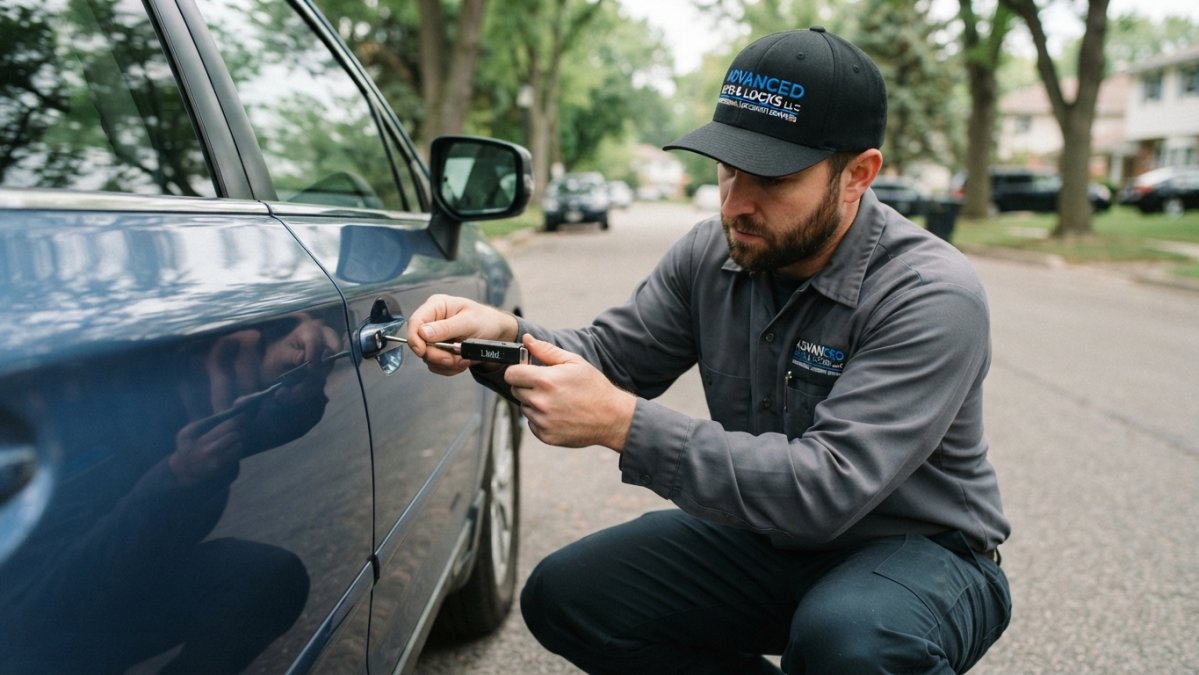
When someone is at the door, the physical backup key remains the most dependable entry. The override slot is usually hidden under a small cover or cap on the exterior keypad. Pop the cover, insert the key, and turn it like a normal lock.
If the key is unavailable, the person at the door can try emergency power, but only after verifying the correct terminal type and polarity for that model.
If the app, the backup key, and a verified emergency power attempt all fail, stop and escalate to a licensed locksmith rather than attempting forced entry. The next sections cover emergency power specifics and when to call a pro.
Smart Lock Emergency Power: Jump-Starting the Lock From Outside
Emergency power is model-specific. The single most common mistake is assuming every smart lock uses 9-volt terminals. Some use a 9-volt battery against two contacts, some use a micro-USB or USB-C port, and some have no external emergency terminal at all. Using the wrong method can damage the lock, so verify before you touch anything.
Step 1: Identify Your Exact Lock Model
The model number is usually printed on the interior battery cover, on the lock's mounting plate, or in the app's device settings. Write it down and search the manufacturer's support page for "emergency power," "jump start," or "backup power." The manual will state the terminal type, the required power source, and the polarity.
Step 2: Match the Power Method to the Lock
Use this decision path:
- Two exposed metal contacts: The lock likely accepts a 9-volt battery. Match the polarity marks, hold the battery firmly against both contacts, and enter your code or use the app while it is connected.
- Micro-USB or USB-C port: Use a portable power bank and the correct cable. Do not force a 9-volt battery onto these pins.
- No external terminal: The lock has no emergency power option. Your only paths are the backup key or a locksmith.
A fresh 9-volt battery is the common choice for contact-style terminals, but confirm the manual does not specify a different voltage. Rechargeable 9-volt batteries sometimes sit at a lower nominal voltage and may not wake the lock reliably; a standard alkaline battery is the safer choice when the manual allows it.
Step 3: Perform the Jump Safely
- Find the contacts or port, often under a flip cover near the keypad.
- Clean any corrosion or debris gently before connecting power.
- Connect the correct power source, matching polarity if marked.
- Enter your code or use the app while power is connected.
- Unlock and open the door, then replace the internal batteries immediately.
Step 4: Know When to Stop
If the jump does not work after one clean attempt with a verified power source, stop. Repeated attempts can drain the temporary source and stress the contacts. Corroded contacts, a failed internal battery compartment, or a lock that has failed mid-cycle are jobs for a licensed locksmith, not for improvisation at the door. A pro can identify the model, confirm the correct procedure, and open the door without damaging the hardware.
Smart Lock Backup Key: Where It Is and Why It Matters
The smart lock backup key is a physical key that bypasses all electronics. It is your last line of defense, and too many owners never test it.
Store it somewhere you can reach without entering the home. That means a trusted neighbor, a lockbox, or a family member nearby.
- Test the key override twice a year.
- Keep the key slot free of paint and debris.
- Replace a stiff or sticky key before it fails.
What most guides miss: the override slot is often the first thing to seize from weather and disuse.
When to Call an Emergency Locksmith for a Smart Lock Lockout
Call an emergency locksmith for smart lock lockout help when the app, backup key, and emergency power all fail.
A pro can open the door without wrecking the lock, then check the battery compartment and contacts.
Look for a licensed, insured locksmith with upfront pricing. You can also review tips for avoiding hidden locksmith service fees before you hire anyone.
Battery Warnings, Battery Life, and a Prevention Checklist
Smart locks warn you before they die, but the alerts are easy to ignore. A low-battery indicator, a soft beeping, or an app battery alert all mean the same thing: replace the batteries soon.
Battery life varies by lock, usage, and temperature. Cold weather drains batteries faster, and a lock on a busy door wears down sooner. Plan to check the battery level in the app monthly.
Use this prevention checklist before any trip:
- Replace batteries on a set schedule, not just when warned
- Test the backup key and override slot
- Clean the battery contacts to prevent corrosion
If repeated battery problems have you frustrated, you may want to weigh your options. You can read about whether to rekey a smart lock or replace it.
Planning for Renters, Guests, and Shared Access
Shared homes need a written plan, not guesswork. Understanding smart lock access control for homes and rentals helps you choose the right setup for shared access.
Landlords and hosts can set clear lockout steps so no one is stranded. A landlord guide to emergency lockout procedures walks through the steps to document.
- Give each guest a unique code and a backup contact.
- Keep one physical key in a secure lockbox.
- Post emergency instructions inside the unit.
A little planning keeps a dead battery from becoming a disaster for everyone with access.
Conclusion
A dead smart lock battery while you are away is stressful, but it is solvable. Try the app, use the backup key, jump the lock with emergency power, and call a pro only if all else fails.
Advanced Keys & Locks LLC handles smart lock lockouts and installations across the region with 24/7 availability, upfront pricing, and no hidden fees. Our certified, insured locksmiths get you back in fast and check your hardware while they are there. Get a quote today and travel with peace of mind.
Frequently Asked Questions
What happens when a smart lock battery dies?
The lock usually stays locked, not unlocked. Most smart deadbolts fail secure, so the bolt remains engaged and the keypad or fingerprint reader stops responding. Many models give a low-battery warning first, through beeping, a flashing low-battery indicator, or a push alert in the mobile app. The lock does not open on its own, and your door access stays protected until you supply power, use a backup key, or call a locksmith.
Can you unlock a smart lock with a dead battery?
Yes, in most cases. If the smart lock battery is dead, try the mobile app over Bluetooth first, since some locks keep a small reserve for app access. If that fails, use the physical backup key in the key override cylinder. Many models also accept temporary power through external terminals, often from a 9V battery or USB power bank. Check your model's manual, because terminal placement and voltage differ by brand.
Can a locksmith open a smart lock with a dead battery?
Yes. A certified locksmith can open a smart lock with a dead battery using non-destructive entry, then replace the batteries or restore emergency power. Call an emergency locksmith for a smart lock lockout if you are away from home, have no backup key on site, and the app and emergency power options have failed. Expect to verify ownership before any work begins, and ask for upfront pricing before the technician starts.
How can you prevent a smart lock from locking you out?
Check the battery level in the app monthly and replace batteries at the first low-battery alert, not after it. Keep a physical backup key with a trusted neighbor or in a secure lockbox, and store one off site if you travel often. Test the key override and emergency power port twice a year, and clean battery contacts to prevent corrosion. A simple prevention checklist beats an emergency call every time.